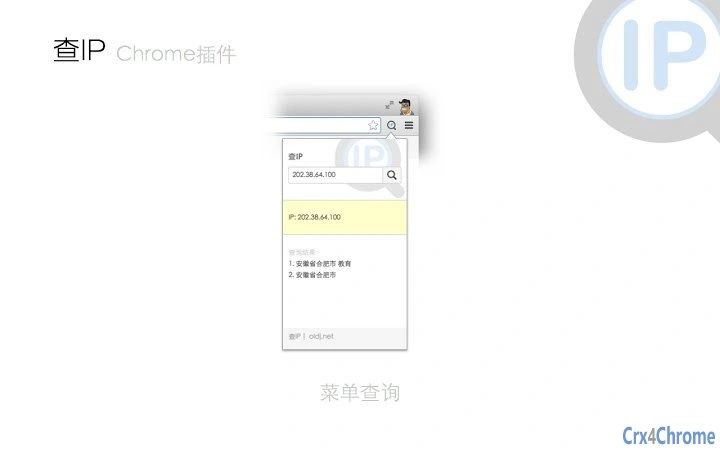

Quick IP Location Lookup Tool
Overview
The software is a lightweight utility designed to help users quickly determine the geographic location associated with an IP address. It serves as a practical tool for individuals who need to identify the physical location of an IP address for troubleshooting, security checks, or general informational purposes. The application is suitable for both casual users and professionals who work with network data, such as IT administrators, developers, and digital investigators. Its primary function is to provide accurate geolocation data based on IP addresses, offering a straightforward solution without requiring technical expertise.
Designed for users seeking fast access to IP geolocation details, the tool integrates seamlessly into everyday workflows on Windows and Mac platforms. Real-world usage scenarios include verifying the origin of online traffic, identifying potential threats from suspicious IP sources, or simply understanding where a website’s server is located. The developer did not provide additional information about the background or development history of the tool.
Key Features & Capabilities
- IP Address Input – Users can enter any public IP address directly into the interface to initiate a lookup.
- Geographic Location Display – The tool returns detailed location data, including country, region, city, and postal code.
- ISP and Organization Info – It provides information about the Internet Service Provider and associated organization linked to the IP.
- Lightweight Design – With a file size of 1.2 MB, the application is optimized for fast loading and minimal system impact.
- Multi-Platform Support – Compatible with both Windows and Mac operating systems, ensuring broad accessibility.
Each feature supports efficient workflow integration. For example, network administrators can use the tool to trace the origin of unauthorized access attempts. Developers may use it during debugging to verify server locations. Casual users can explore the geographic origin of online content or communications. The tool functions entirely within the desktop environment, requiring no external dependencies.
User Interface, Workflow & Performance
The user interface is designed with simplicity in mind, featuring a clean layout that prioritizes usability. The main window includes a single input field for the IP address, a submit button, and a results panel that displays location and network details. Navigation is intuitive, requiring minimal learning time for first-time users.
Workflow efficiency is high, as the entire process—from entering an IP to receiving results—can be completed in seconds. The developer did not specify resource usage details, but based on the application’s small size and purpose, it is expected to operate with minimal CPU and RAM consumption. Stability appears to be consistent, though exact performance metrics were not provided. No known issues with crashes or freezes were reported in the available documentation.
Compatibility & System Requirements
The software is compatible with Windows and Mac operating systems, supporting the latest versions available at the time of release. The installation size is 1.2 MB, making it suitable for devices with limited storage space. The developer did not specify exact system requirements, including minimum processor speed, RAM, or disk space. Platform compatibility information is limited to the operating systems listed.
Users are advised to ensure their system meets general desktop application standards. No additional software or drivers are required for installation or operation. The application runs as a standalone executable, requiring no internet connection for local processing, though real-time data retrieval may depend on network availability.
Pros and Cons
Pros
- Fast and simple IP-to-location lookup
- Small file size with low system impact
- Available for both Windows and Mac
- Free to use with no hidden costs
- Intuitive interface suitable for all user levels
Cons
- Exact performance metrics were not provided
- No information on update frequency or support timeline
- Limited to basic geolocation data
- Does not support batch processing of multiple IPs
- Developer background not disclosed
FAQ Section
Is this tool available for both Windows and Mac?
Yes, the software is compatible with both Windows and Mac operating systems.
Does the tool require an internet connection?
While the application runs locally, it may require an internet connection to retrieve up-to-date geolocation data from external sources.
Is the software secure to use?
The application is designed to process IP addresses locally and does not collect or transmit user data unless specified by the developer. No security vulnerabilities were reported in the available information.
How often is the IP database updated?
The update frequency of the underlying IP location database was not disclosed by the developer.
Can I use this tool offline?
Basic functionality may work offline, but accurate geolocation results depend on access to current IP databases, which typically require an internet connection.
Final Thoughts
This lightweight desktop utility delivers a focused and efficient solution for users who need to determine the geographic location of an IP address. Its minimal footprint, cross-platform availability, and free pricing make it accessible to a wide audience. While it lacks advanced features like batch processing or detailed analytics, it excels in simplicity and speed. The tool is particularly beneficial for IT professionals, developers, and anyone involved in network-related tasks.
For those seeking a reliable, no-frills IP lookup solution, this software stands out as a practical choice. Download Quick IP Location Lookup Tool now and streamline your geolocation inquiries with ease.







